Everything your agency needs. One view.
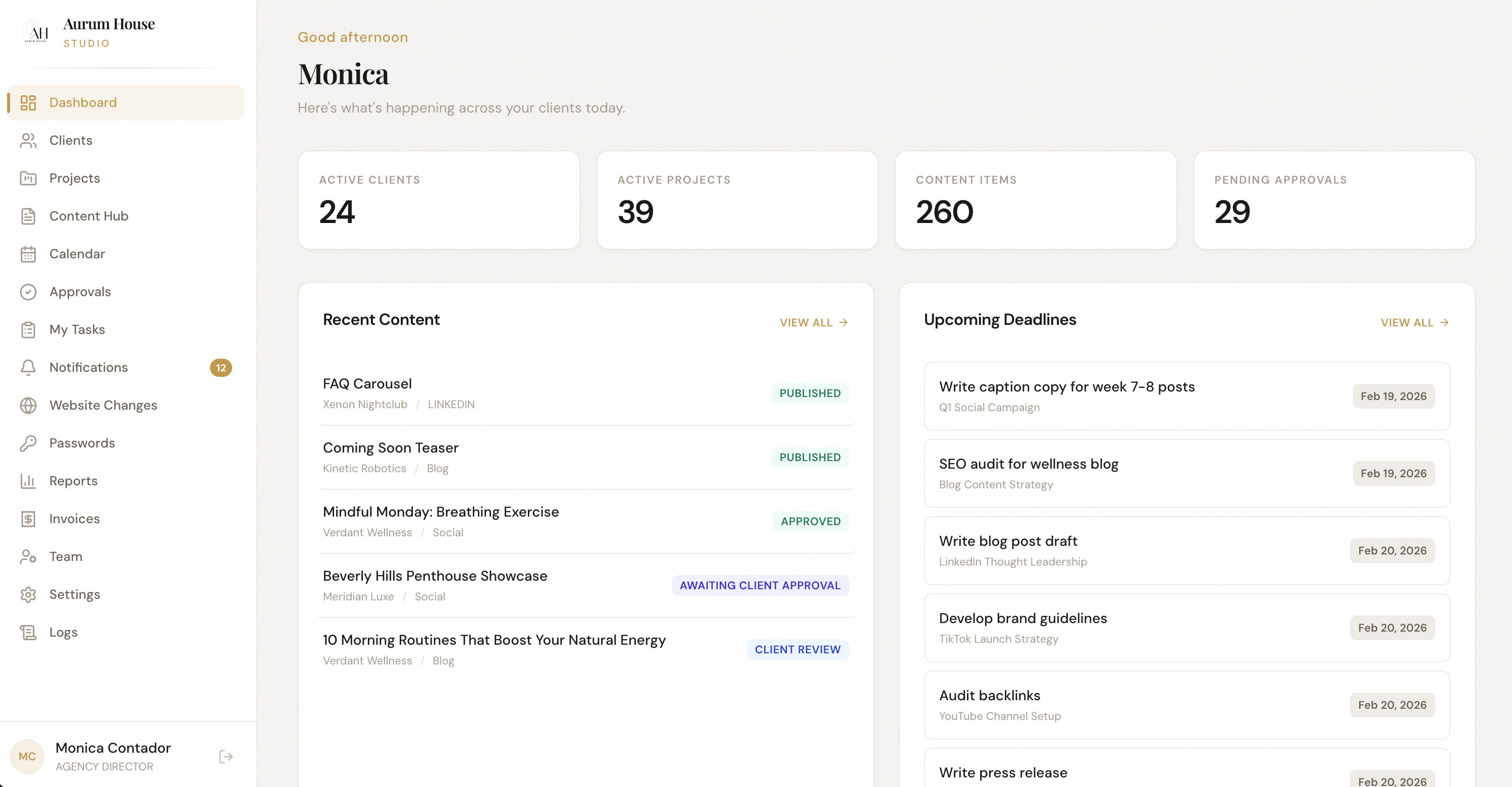
The AurumOS dashboard isn't a homepage — it's a command center. Real-time performance metrics, pending approvals, active projects, and team capacity surfaced the moment you log in.
Opening 6 tabs every morning to understand what's happening across clients
Missing urgent approvals because they're buried in email threads
Not knowing who's at capacity until someone's already overwhelmed
Reporting delays because data lives in disconnected platforms
Live Performance Cards
Aggregate metrics from connected integrations — social, search, paid — into real-time snapshot cards per client.
Approval Queue
Surface every pending approval across all clients in one prioritized feed with one-click actions.
Capacity Overview
See team bandwidth at a glance — who's at capacity, who's available, and what's overdue.
Account managers start every morning on the dashboard. They scan approvals, check client performance, and identify fires — all before opening a single email.
Log in
Dashboard loads with live data
Scan
Review approvals, metrics, capacity
Act
Approve, reassign, or escalate
Update
Team stays aligned automatically
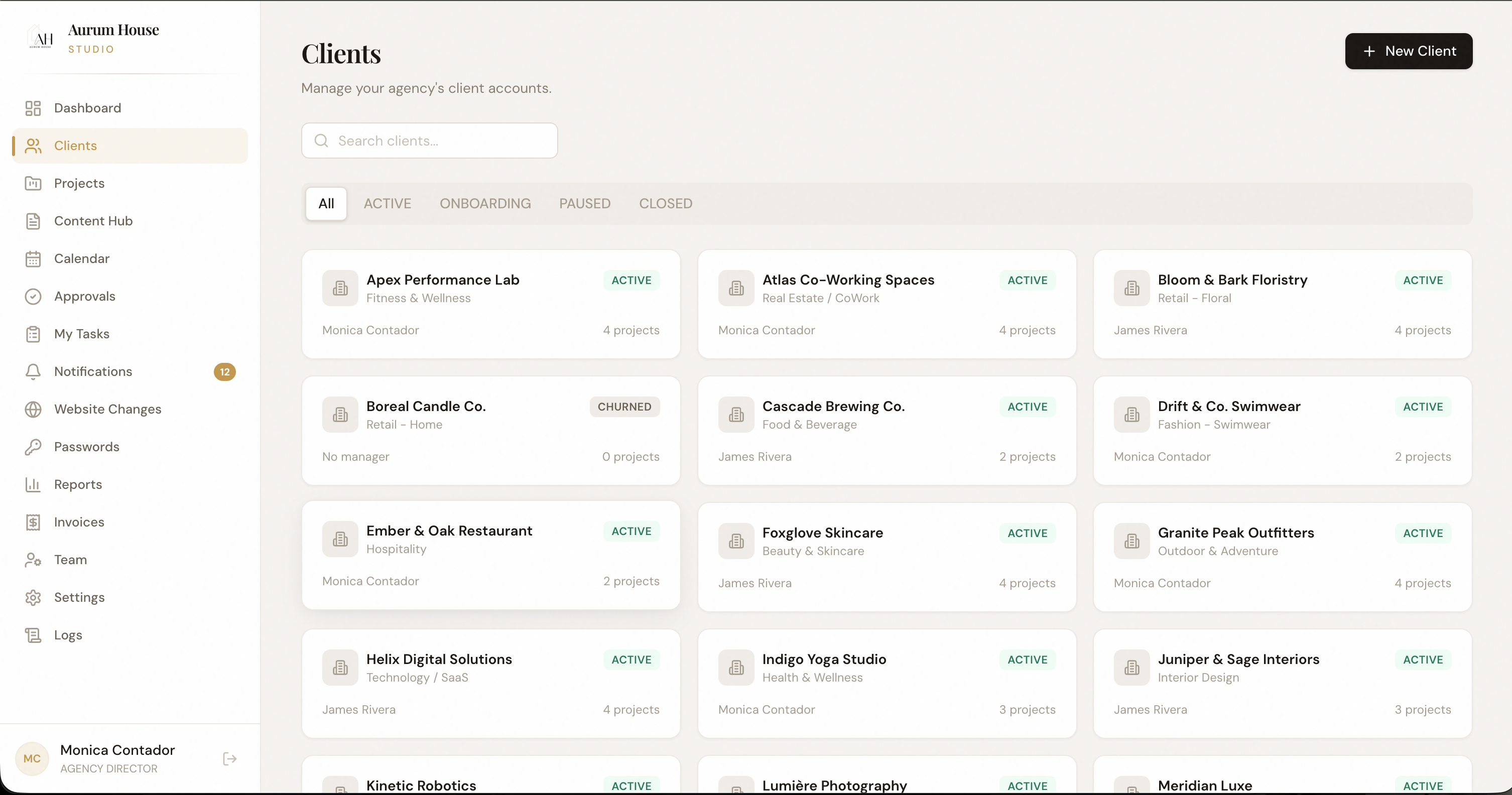
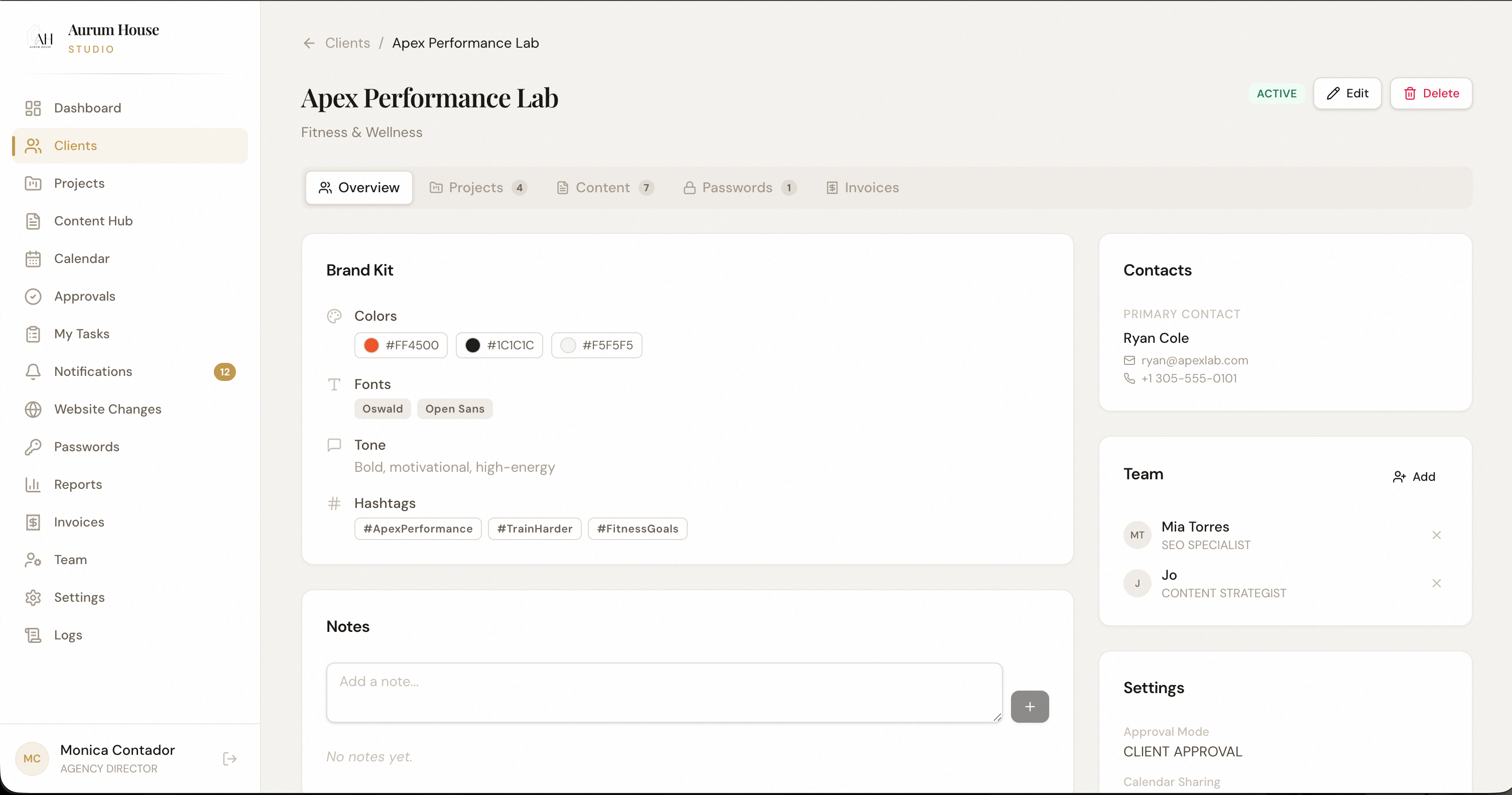
Every client gets a structured workspace.
No more shared folders and scattered files. Each client workspace is a self-contained environment with their assets, deliverables, approvals, and reporting — organized by default.
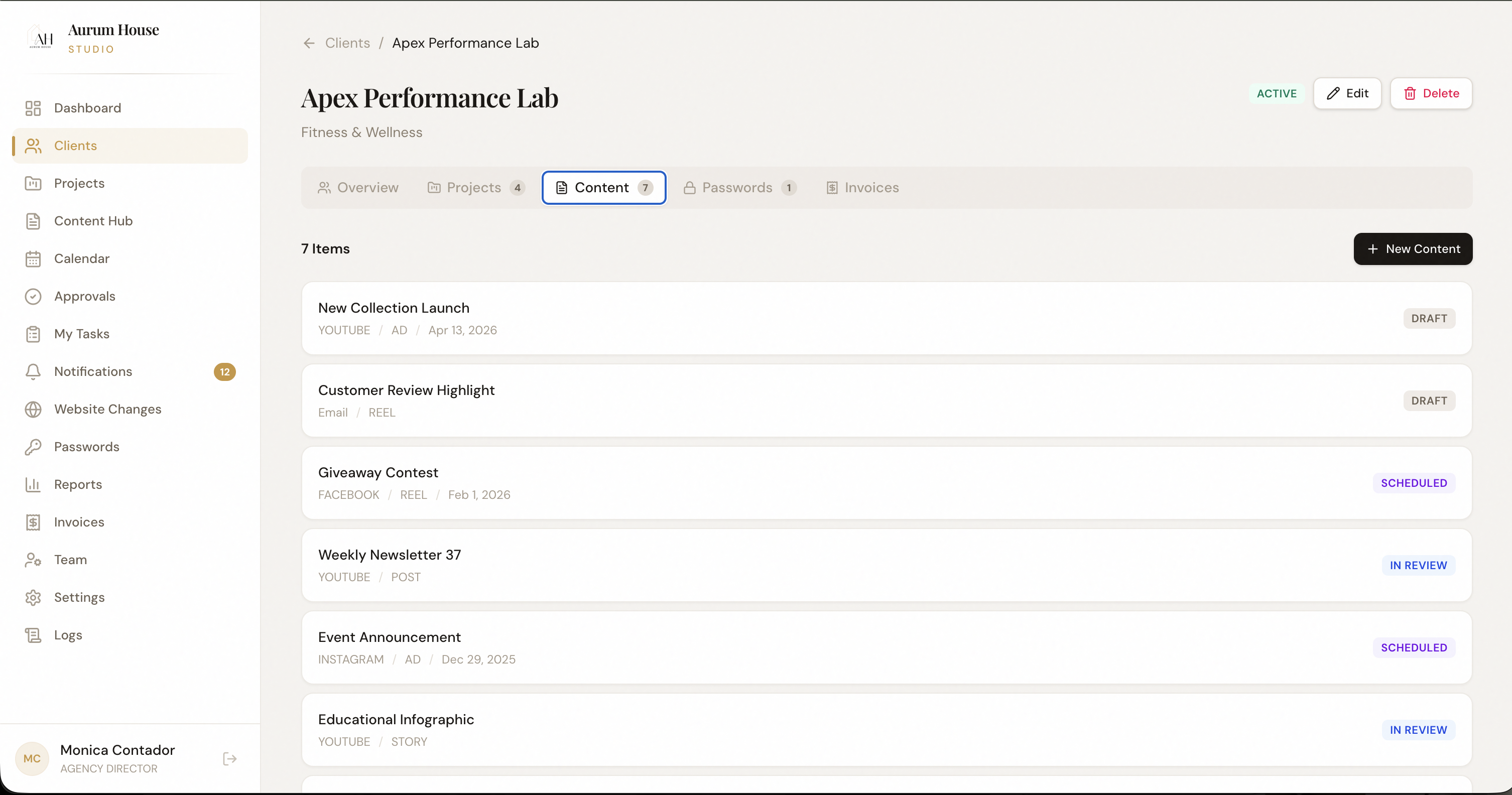
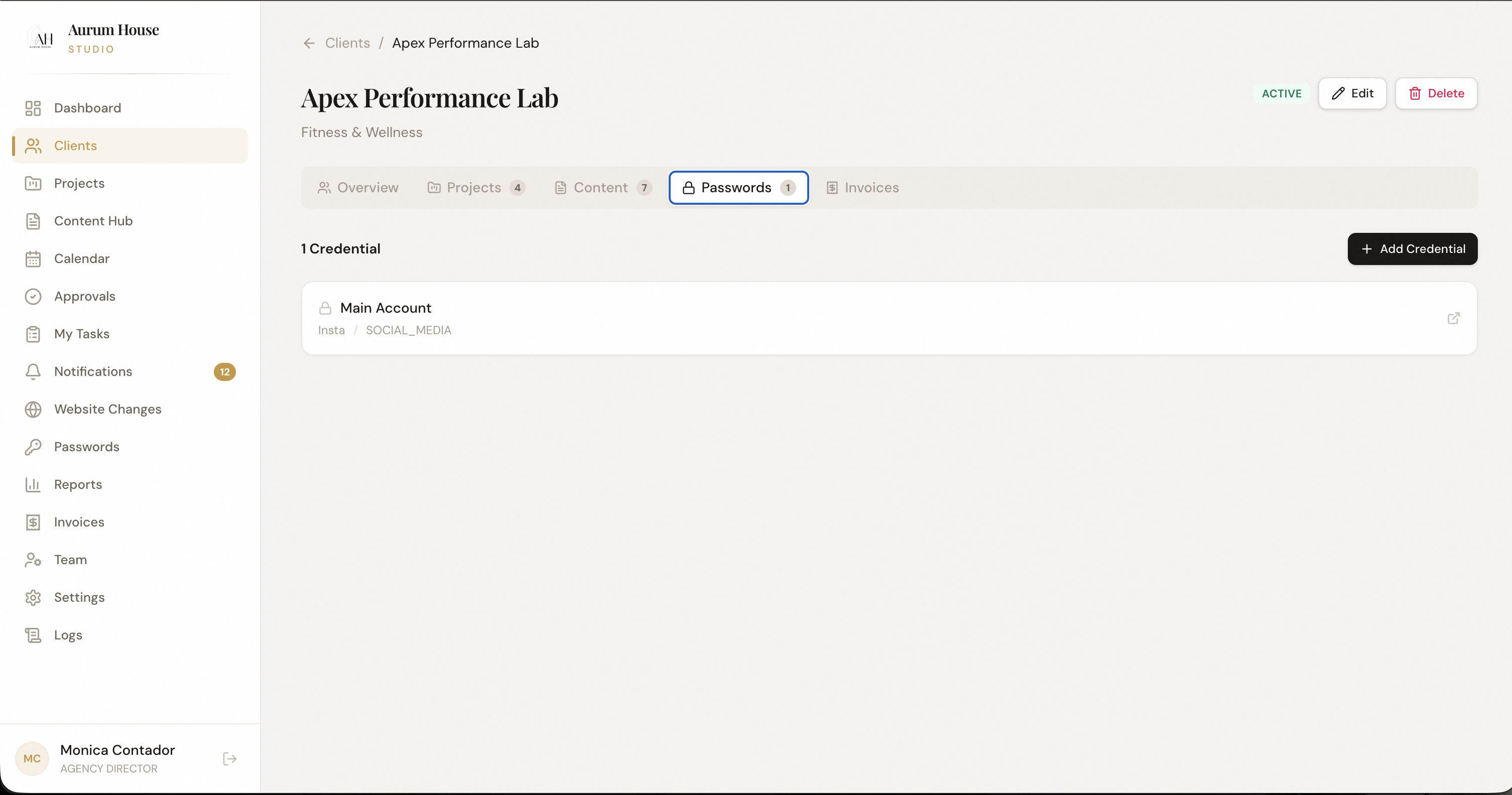
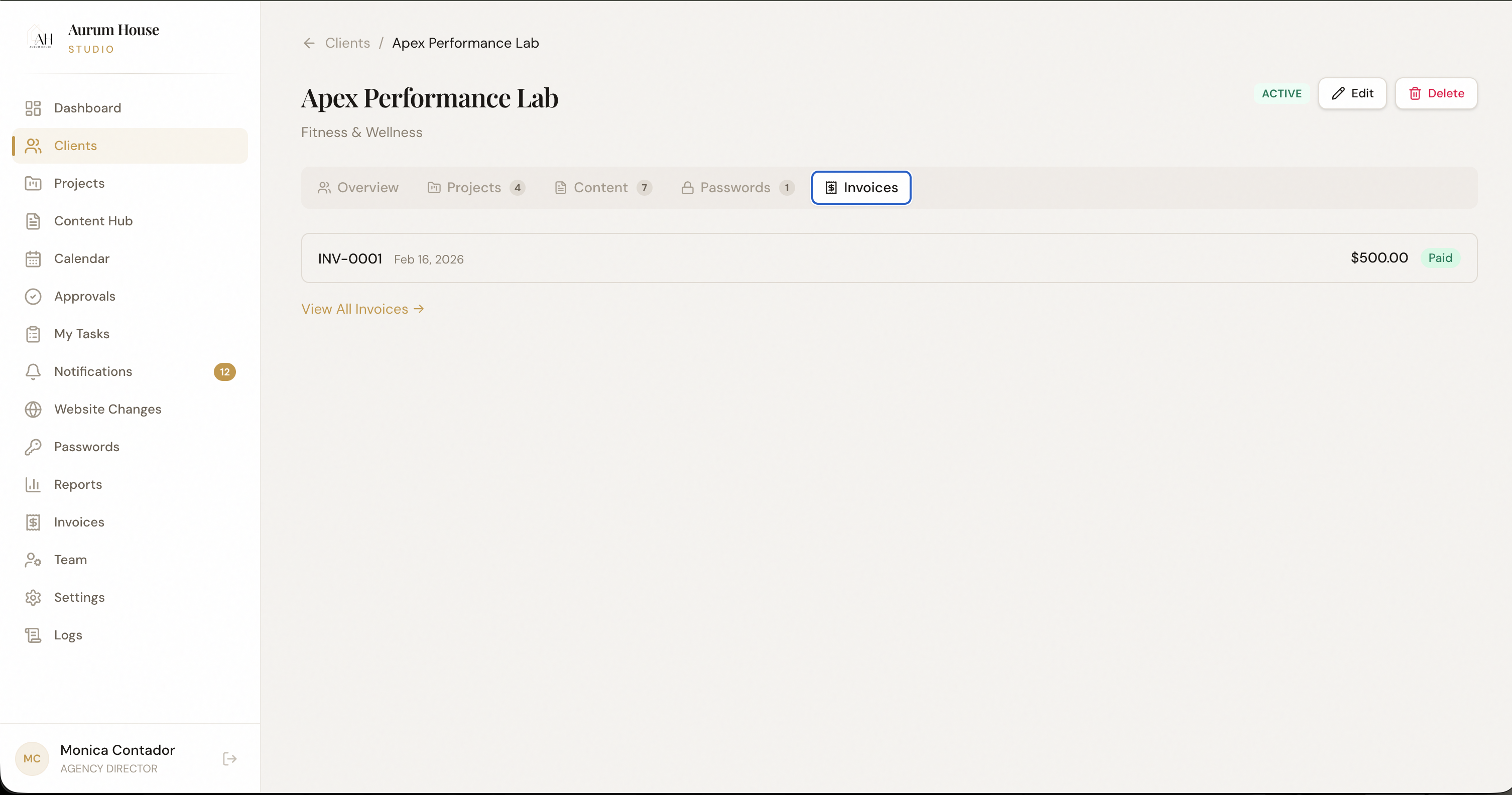
Client files scattered across Google Drive, Dropbox, and email attachments
New team members spending days figuring out where things live for each client
Accidentally sharing the wrong client's assets with another client
No single source of truth for what's been delivered and what's pending
Isolated Environments
Each client workspace is completely separated — data, assets, and team access are scoped per client.
Asset Library
Brand kits, logos, guidelines, photography — all version-controlled and always accessible to the right people.
Client Portal
Give clients controlled access to approvals, reports, and deliverables without exposing your internal operations.
When a new client signs, you create a workspace in under a minute. Every team member immediately knows where that client's work lives — and clients get a branded portal to track progress.
Create workspace
New client, new environment
Upload assets
Brand kits, guidelines, files
Invite team
Assign roles and permissions
Share portal
Client sees only what you allow
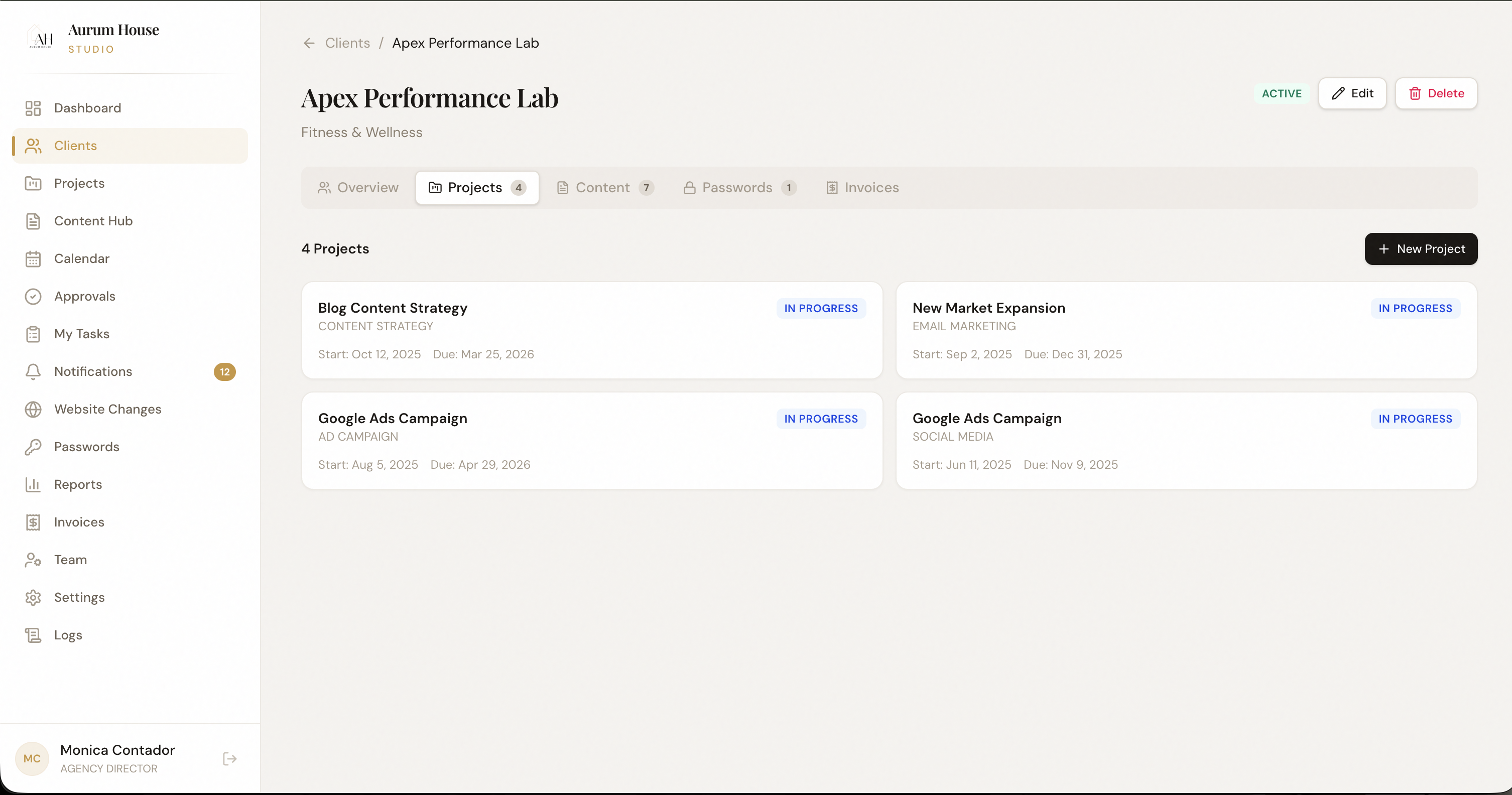
Track every deliverable from brief to delivery.
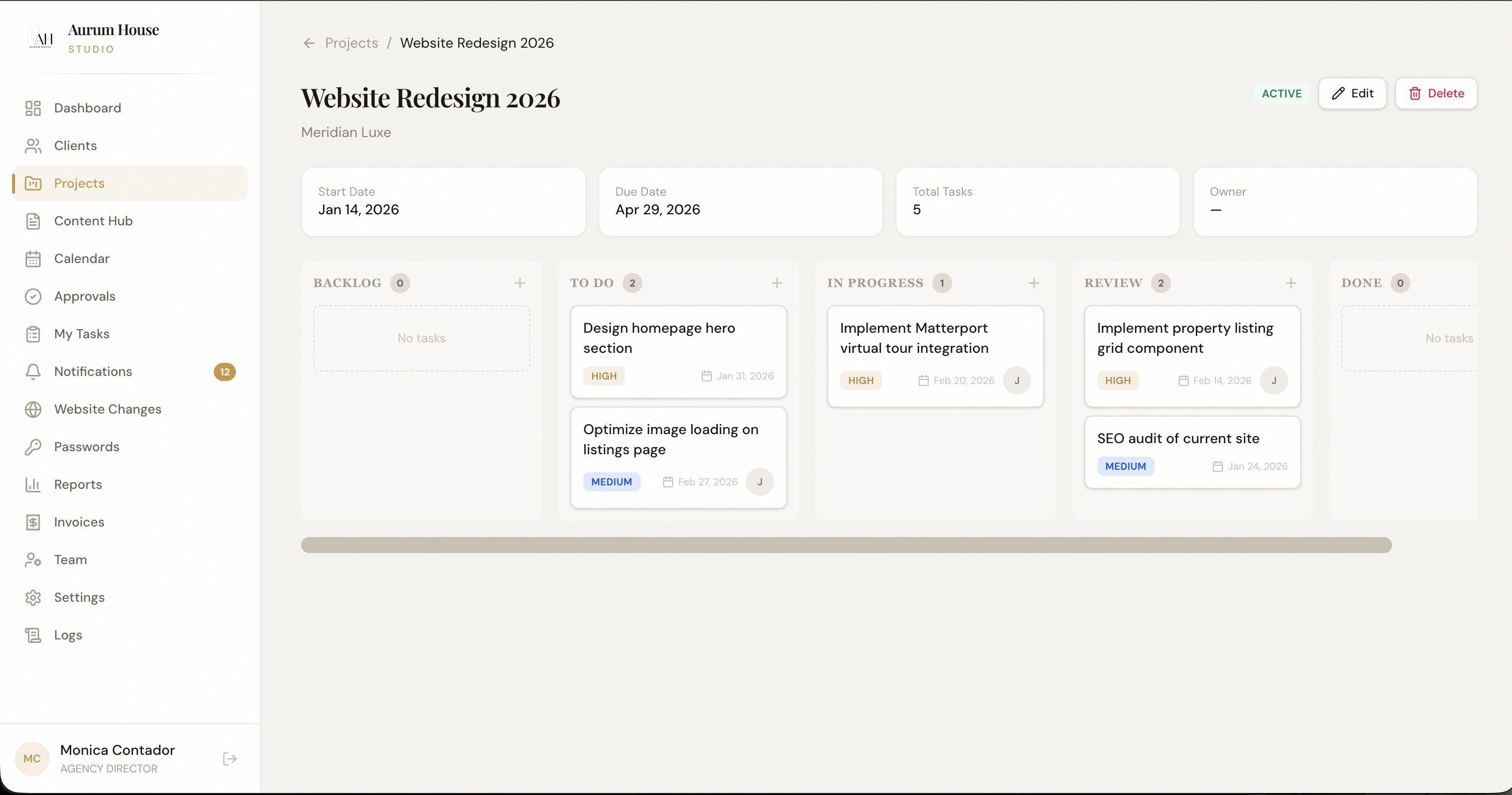
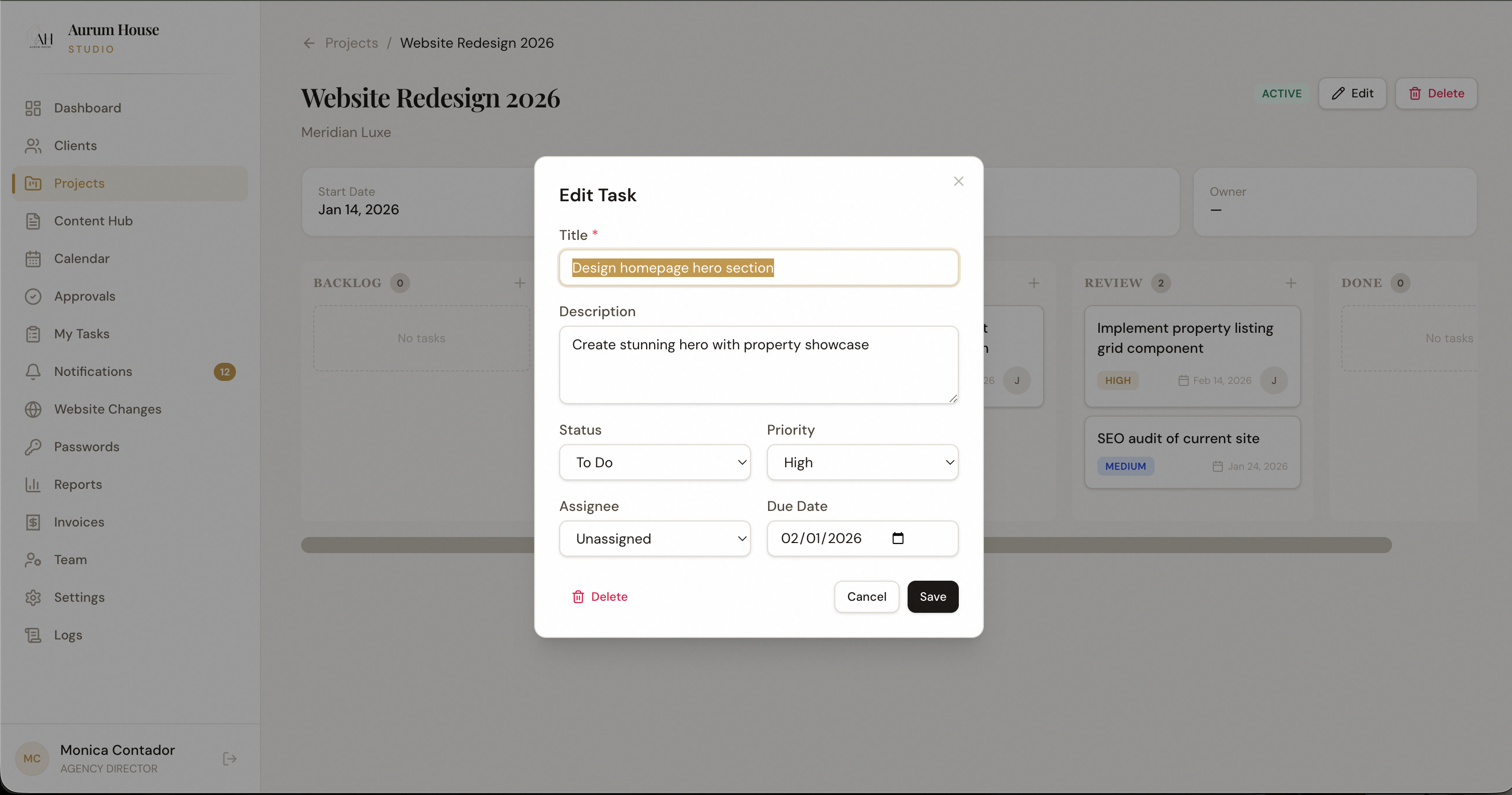
Projects in AurumOS aren't task lists — they're structured workflows tied to clients, timelines, and team members. Every deliverable has a status, an owner, and a deadline.
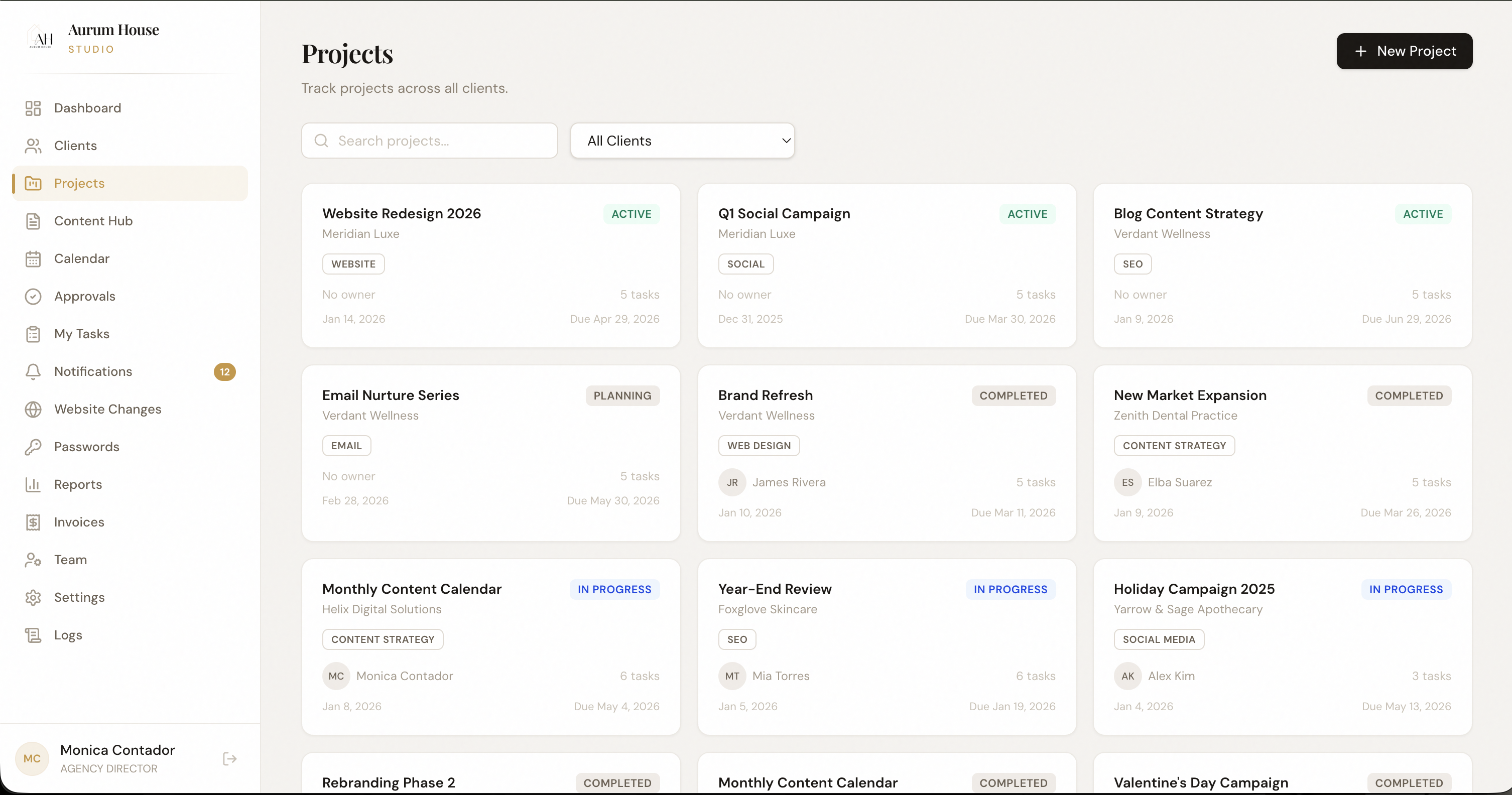
Project statuses tracked in spreadsheets that nobody updates
Deliverables slipping through the cracks because ownership is unclear
Clients asking for updates you don't have answers to
No historical record of what was delivered, when, and by whom
Timeline View
See all active projects across clients on a single timeline — filter by team, status, or deadline.
Dependency Tracking
Mark blockers, link related tasks, and set up automated alerts when bottlenecks appear.
Delivery History
Every project builds a permanent record — what was delivered, feedback received, and final approval timestamps.
A strategist creates the project brief, assigns deliverables to team members, and sets client review dates. Everyone knows what's due, who owns it, and where it stands — without a single status meeting.
Brief
Create project with scope
Assign
Owners, deadlines, deliverables
Execute
Team works within the project
Deliver
Client reviews and approves
Create, review, and publish from one place.
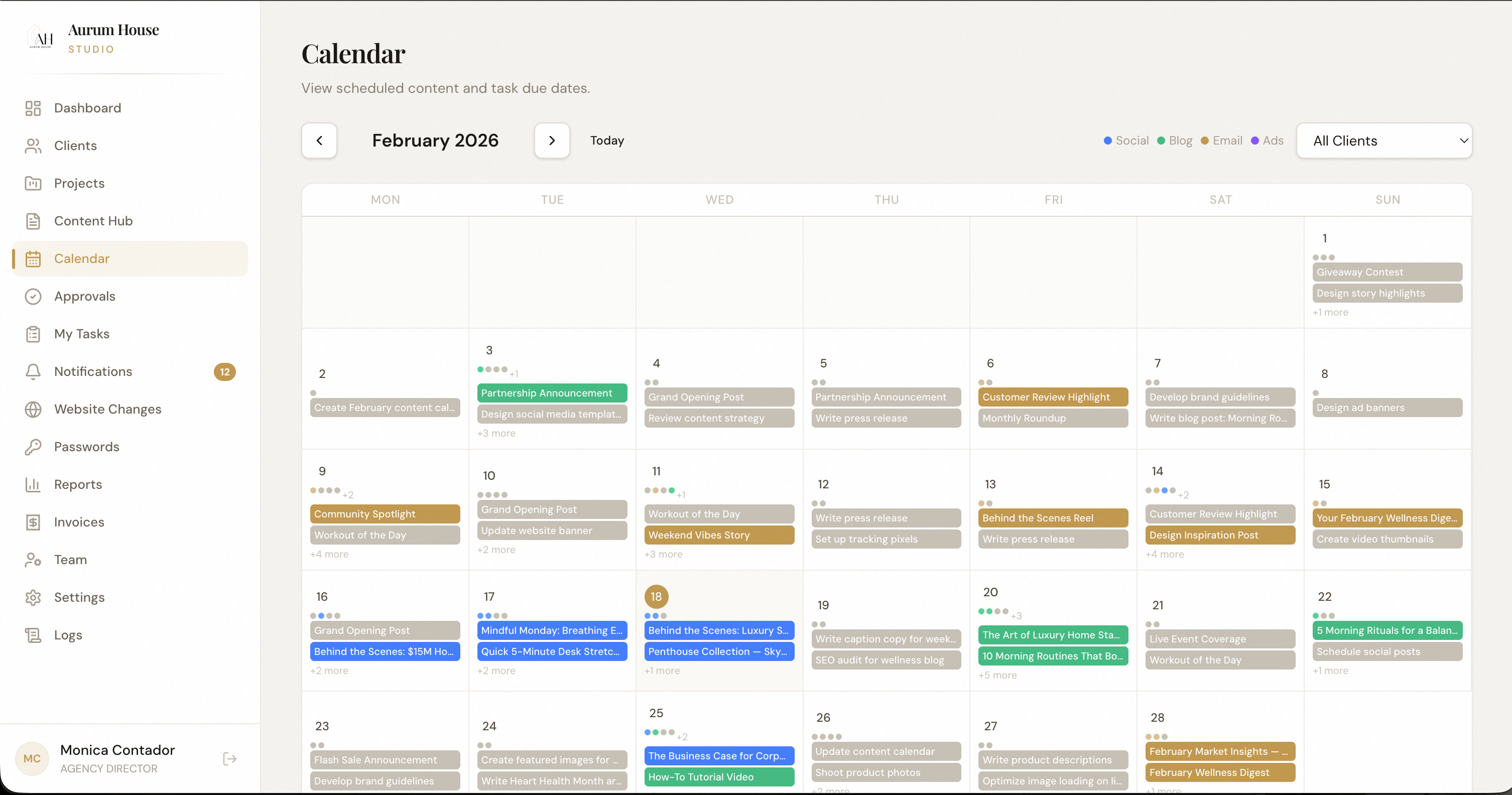
The Content Hub centralizes every piece of content your agency produces — social posts, blog drafts, ad copy, email campaigns — in a structured pipeline from creation to client approval to publication.
Content drafts scattered across Google Docs, Notion, and email threads
Publishing the wrong version of creative because approval trails are unclear
Content calendars that go stale because they're disconnected from production
No audit trail of who approved what and when
Content Pipeline
Move content through stages — draft, internal review, client review, approved, scheduled — with full visibility at every stage.
Version Control
Track every revision with timestamps. Compare versions, restore previous drafts, and maintain a complete creative history.
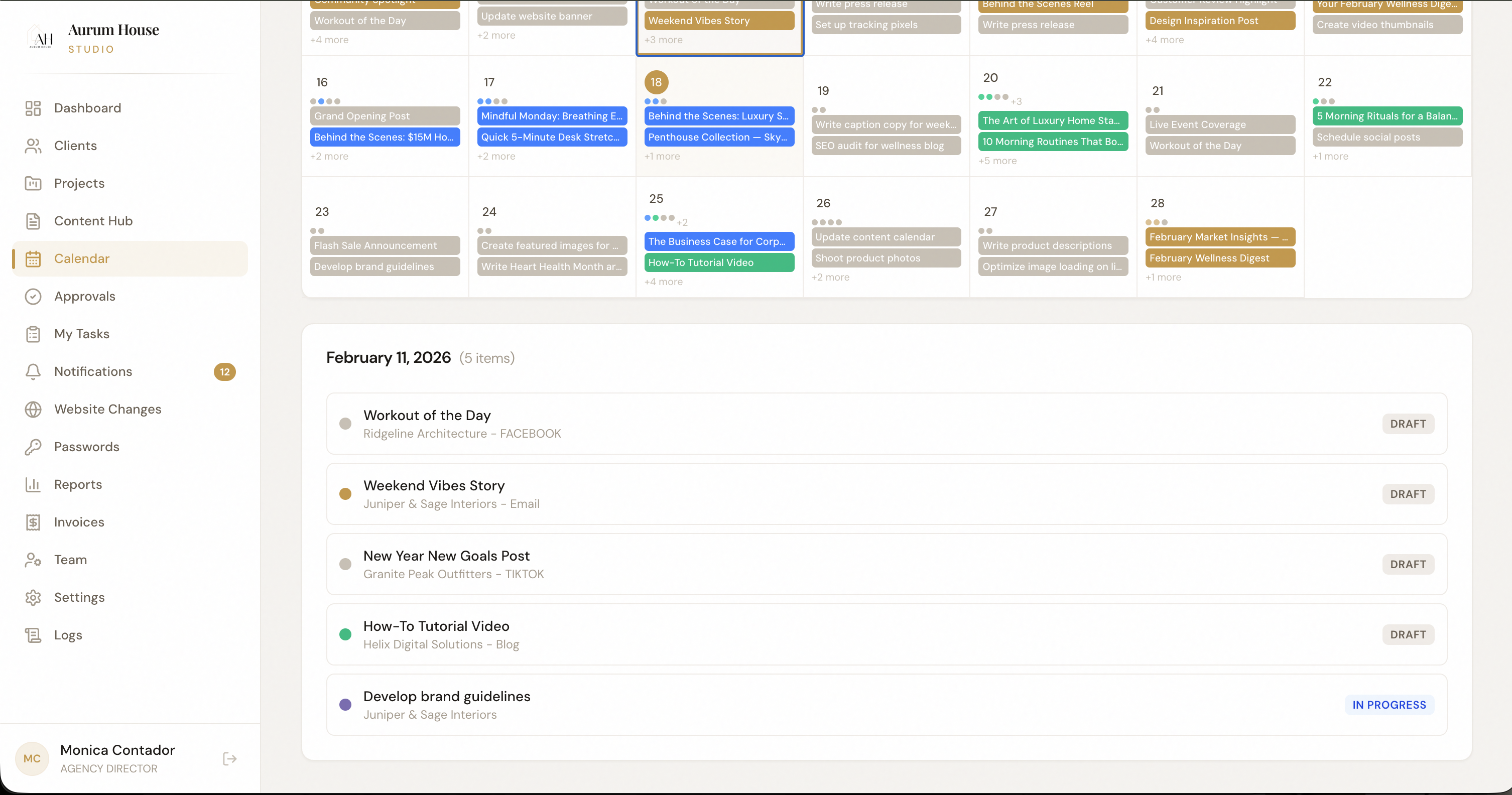
Calendar View
Visualize your content schedule across all clients — filter by platform, client, or content type.
A content manager drafts posts for the week, assigns them to the designer for creative, then routes completed assets through the client's approval chain — all without leaving the Content Hub.
Draft
Create content in-platform
Design
Attach creative assets
Review
Route for client approval
Publish
Schedule or push live
Kill the email approval chain.
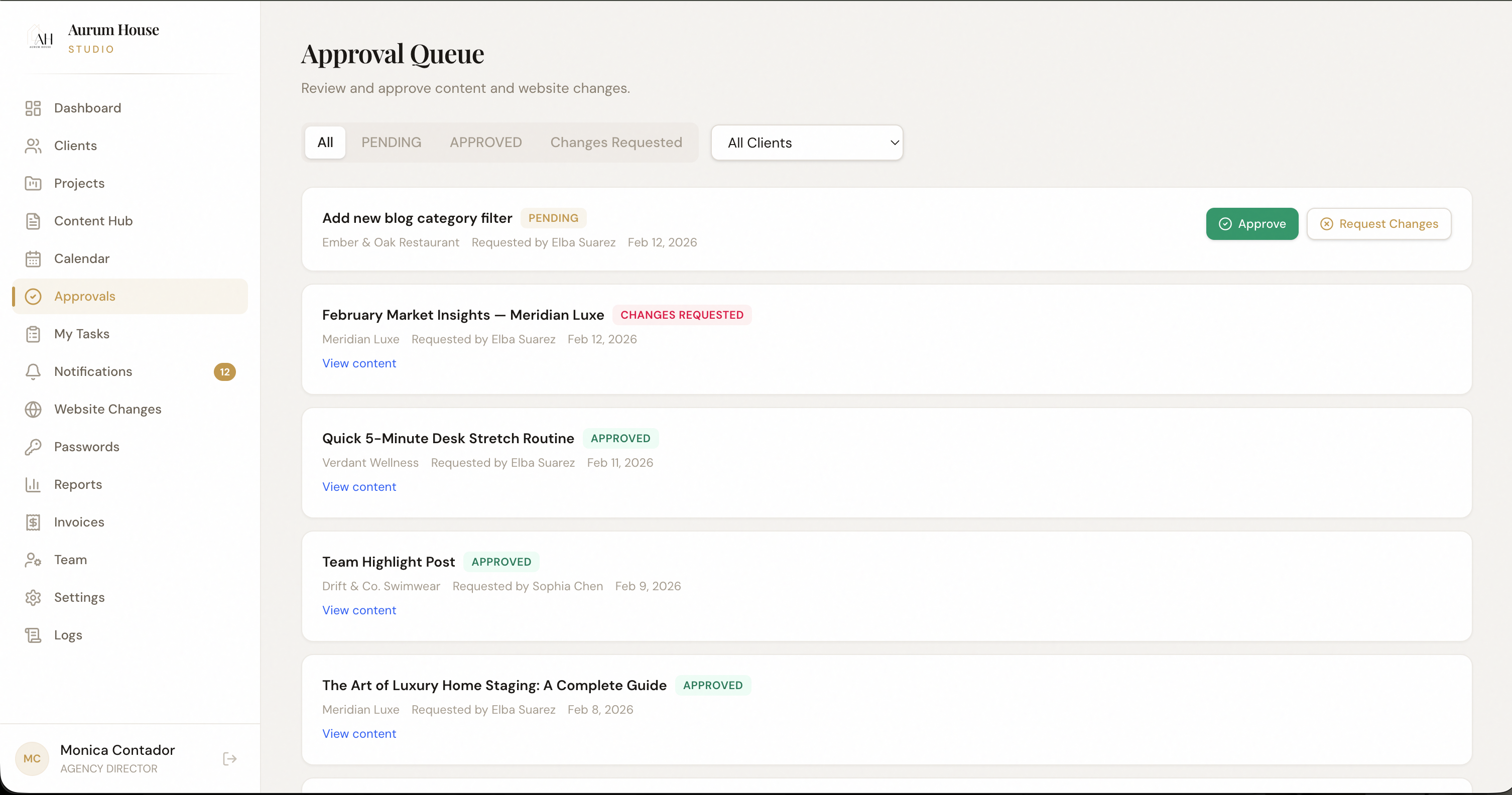
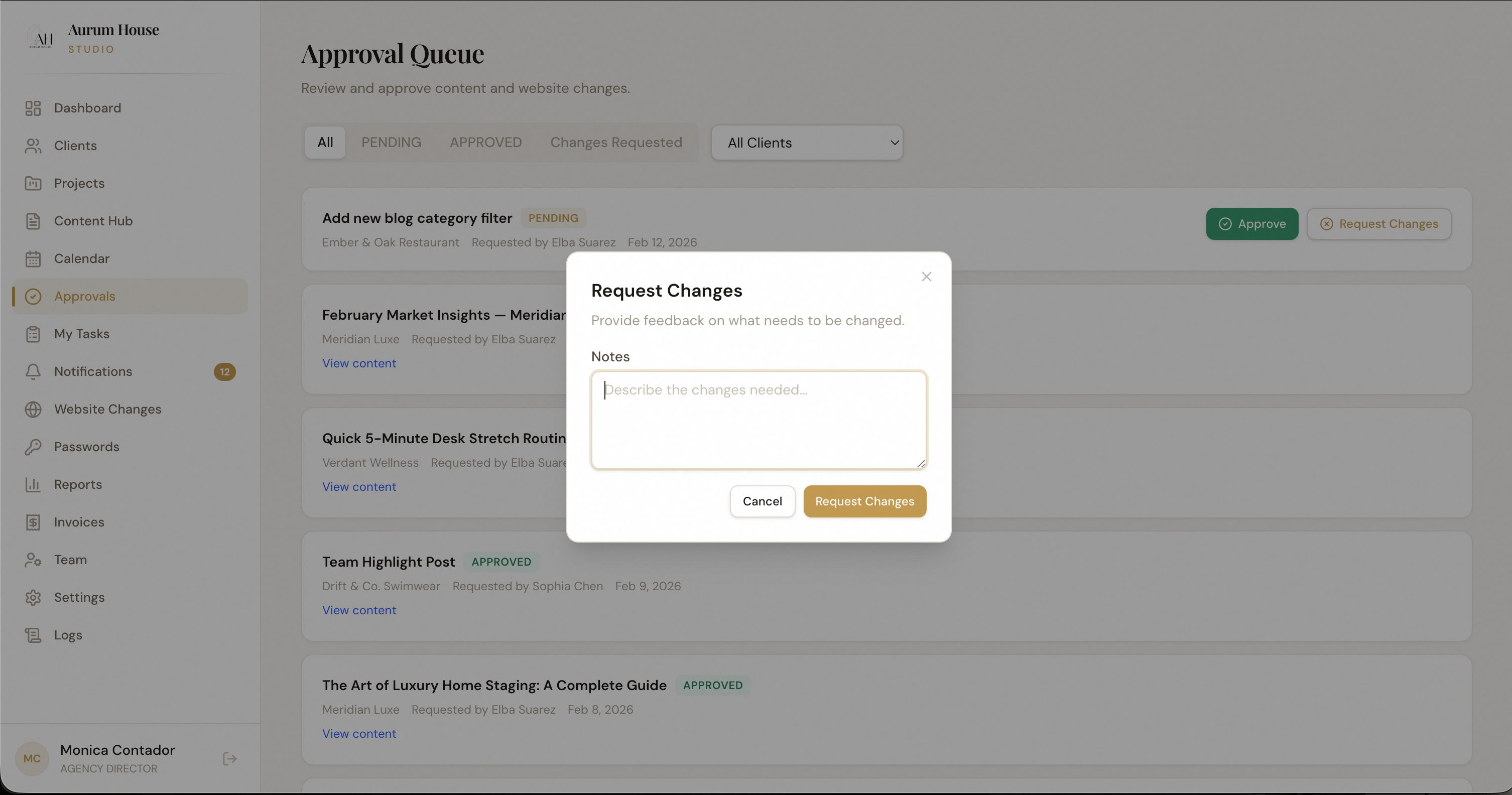
Route content, creative, reports, and strategy through structured approval workflows. Every step is tracked, every decision is recorded, and nothing gets published without sign-off.
Approvals bottlenecked in someone's inbox for days
"Did the client approve this?" — nobody knows for certain
Feedback scattered across email, Slack, and text messages
No legal or compliance trail for what was approved
Multi-Step Chains
Build approval workflows with sequential or parallel reviewers — internal team first, then client, then compliance.
Inline Feedback
Reviewers leave contextual feedback directly on the content — no separate threads or documents needed.
Audit Trail
Every approval, rejection, and revision is timestamped and logged. Full compliance history at your fingertips.
A designer uploads final creative, it routes to the account manager, then to the client for approval. If revisions are needed, the asset goes back to the designer with contextual notes — all tracked automatically.
Submit
Upload content for review
Internal review
Team approves or requests revisions
Client review
Client approves with inline feedback
Approved
Locked, logged, ready to publish
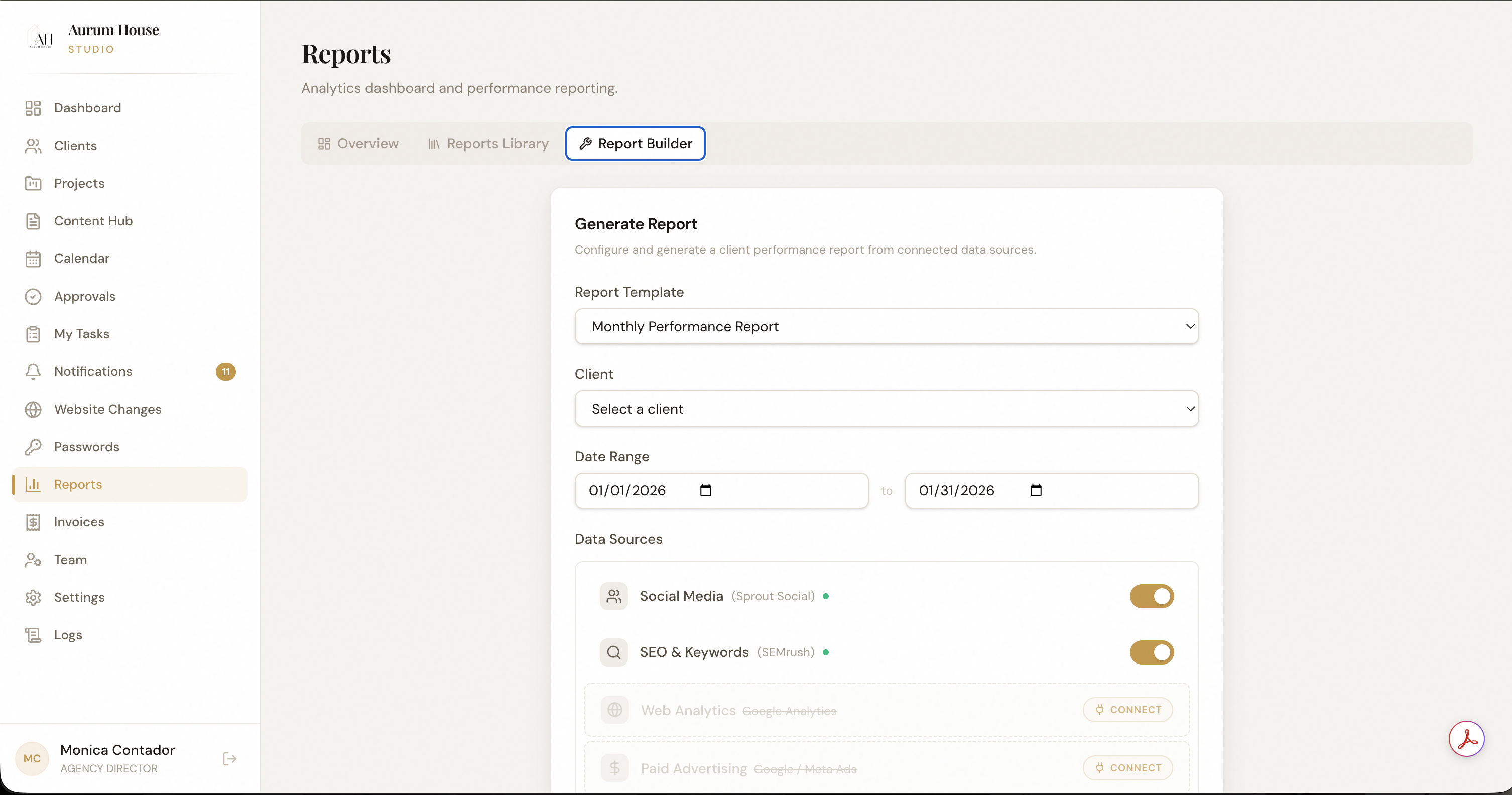
Client-ready reporting in minutes, not hours.
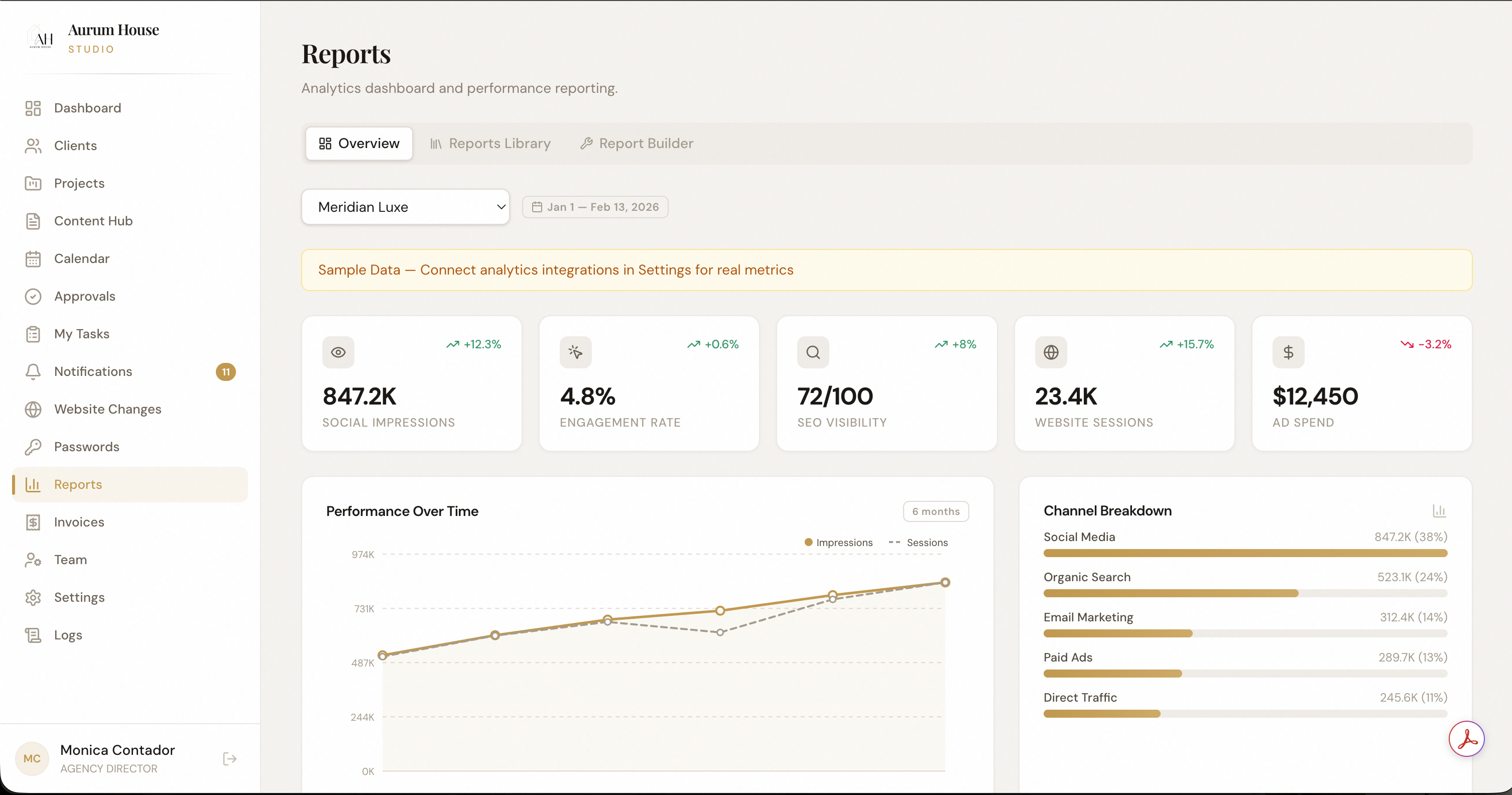
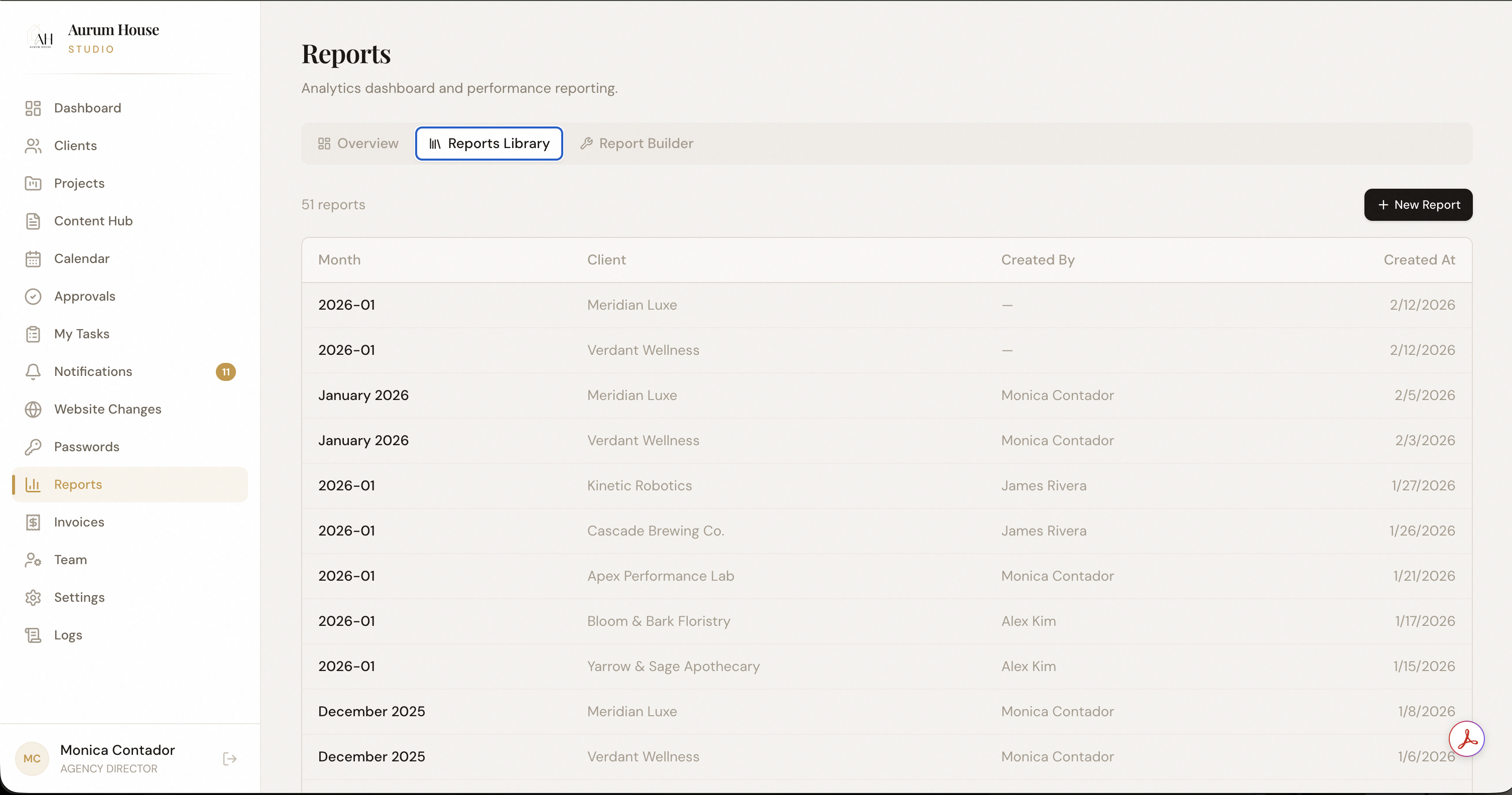
Pull data from every platform your agency relies on, structure it into branded dashboards, and export client-ready reports — without copy-pasting between spreadsheets.
Spending 4+ hours per client per month building manual reports
Data trapped in platform-specific dashboards clients can't access
Reports that look different every month because there's no template system
No cross-client performance view for leadership decision-making
Custom Dashboards
Build reporting templates once, reuse across clients. Drag-and-drop widgets for social, search, paid, and web analytics.
Cross-Client Aggregation
Roll up performance data across your entire client portfolio for agency-level insights and trend analysis.
Export & White-Label
Generate PDF or CSV exports branded with your agency identity. Schedule automated report delivery to clients.
At the end of each month, the reporting engine auto-populates dashboards with the latest data. The account manager reviews, adds narrative context, and exports a branded PDF — sent to the client in minutes.
Connect
Link data sources once
Auto-pull
Data populates dashboards
Contextualize
Add narrative and insights
Export
Branded PDF to client
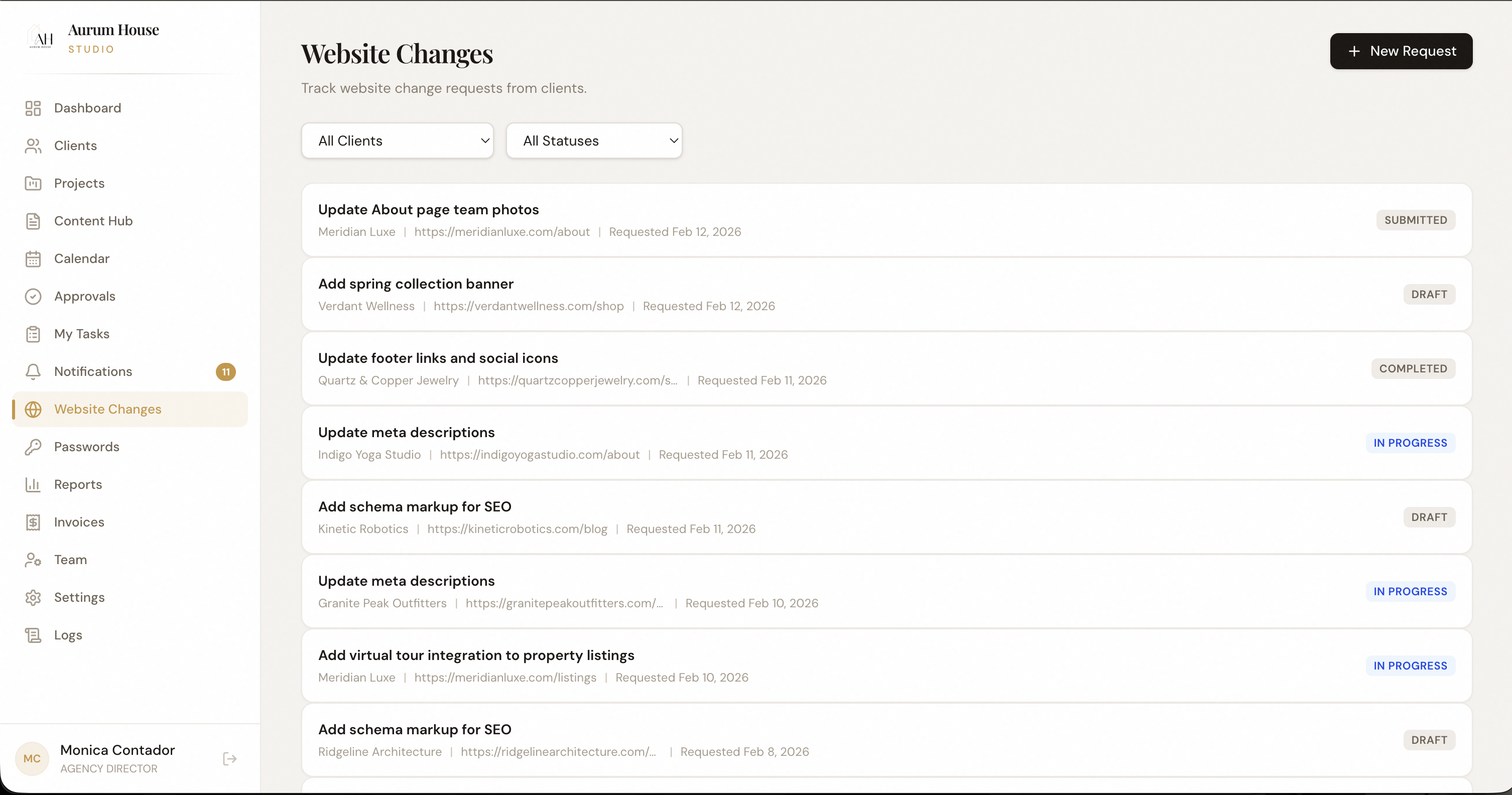
Manage client website updates without the chaos.
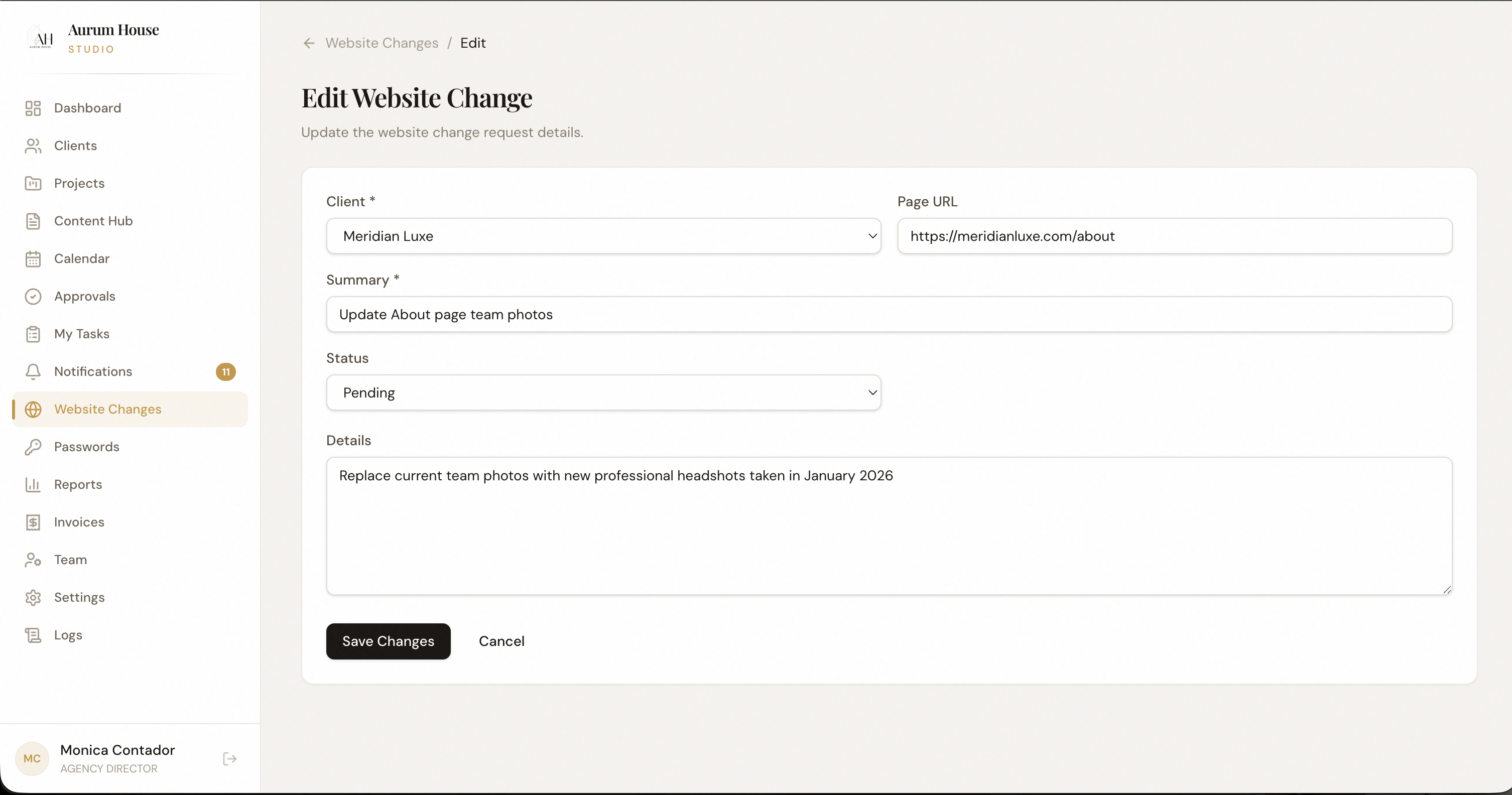
Track every website change request, from copy edits to full page builds. Clients submit requests through a structured form, your team executes, and everything is logged with before/after records.
Website change requests buried in email and Slack with no tracking
Clients making vague requests with no structured submission process
No record of what was changed, when, and who requested it
Scope creep from "quick website tweaks" that become full projects
Structured Request Forms
Clients submit change requests through forms that capture exactly what you need — page URL, description, priority, screenshots.
Change Log
Every change is documented with before/after states, timestamps, and the team member who executed it.
Scope Tracking
Tag requests as in-scope or out-of-scope. Track billable time and manage client expectations with data.
A client submits a website change request through their portal. It appears in the team's queue, gets assigned to a developer, and the client is notified when it's live — with a before/after screenshot attached.
Request
Client submits via portal
Triage
Scope, assign, schedule
Execute
Developer makes the change
Confirm
Client notified with proof
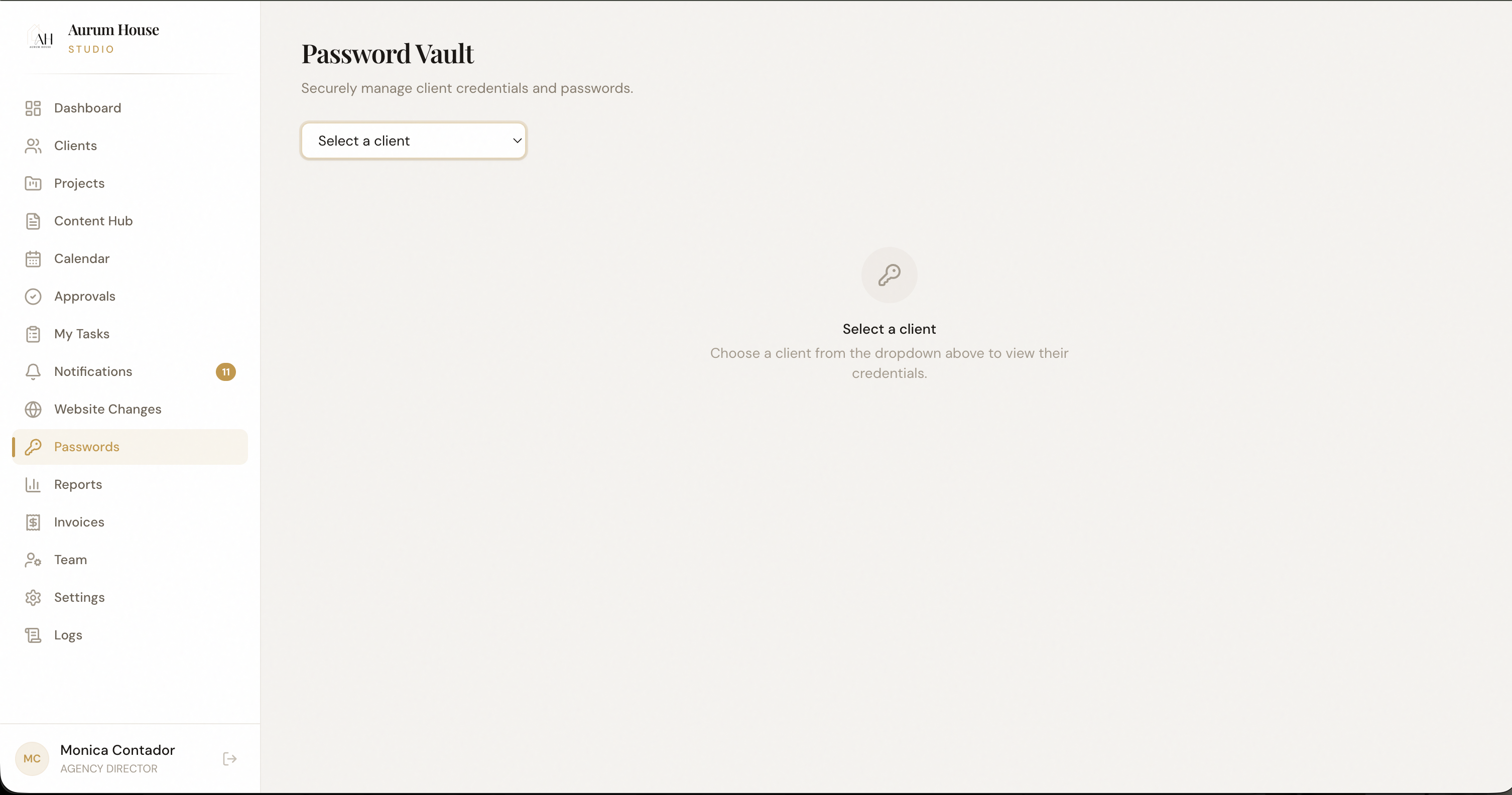
Secure credential sharing, finally.
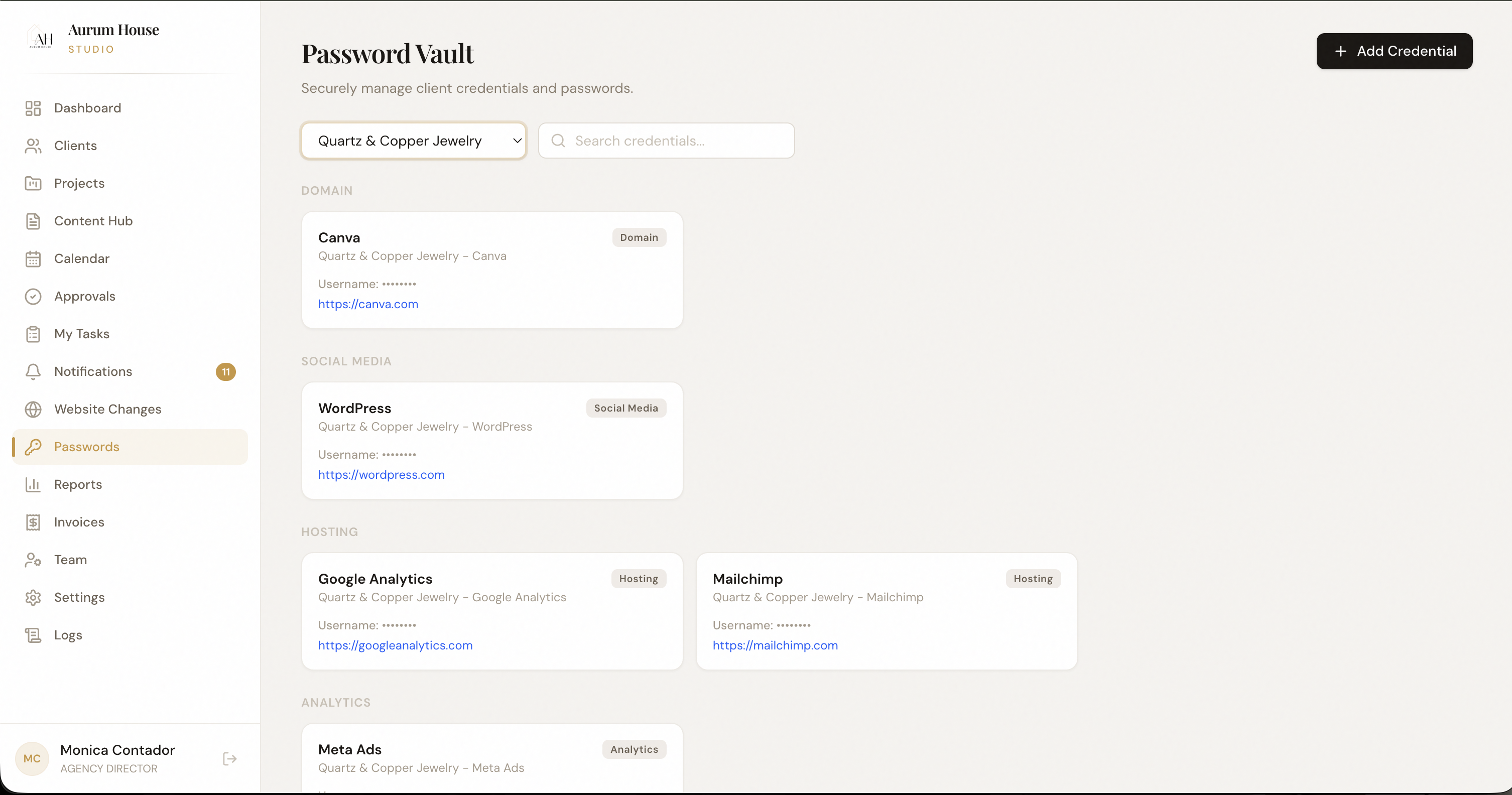
Stop sending passwords over Slack, email, and text messages. The credential vault stores every login your team needs — encrypted, access-controlled, and organized by client.
Passwords shared in plaintext over Slack, email, and spreadsheets
Former employees still having access to client platforms after leaving
Wasting 20 minutes tracking down the right login for a client's ad account
No audit trail of who accessed what credentials and when
Encrypted Vault
All credentials are encrypted at rest and in transit. Access requires authentication — no plaintext storage anywhere.
Role-Based Access
Control exactly who on your team can view each credential. Revoke access instantly when team members leave.
Access Logs
Every credential access is logged — who viewed it, when, and from where. Complete audit trail for compliance.
When onboarding a new client, the account manager adds all platform logins to the vault. Team members access what they need without ever seeing raw passwords — and access is automatically revoked when they're removed from the client.
Store
Add credentials to vault
Assign
Grant role-based access
Use
Team accesses securely
Audit
Every access is logged
Billing that's connected to the work.
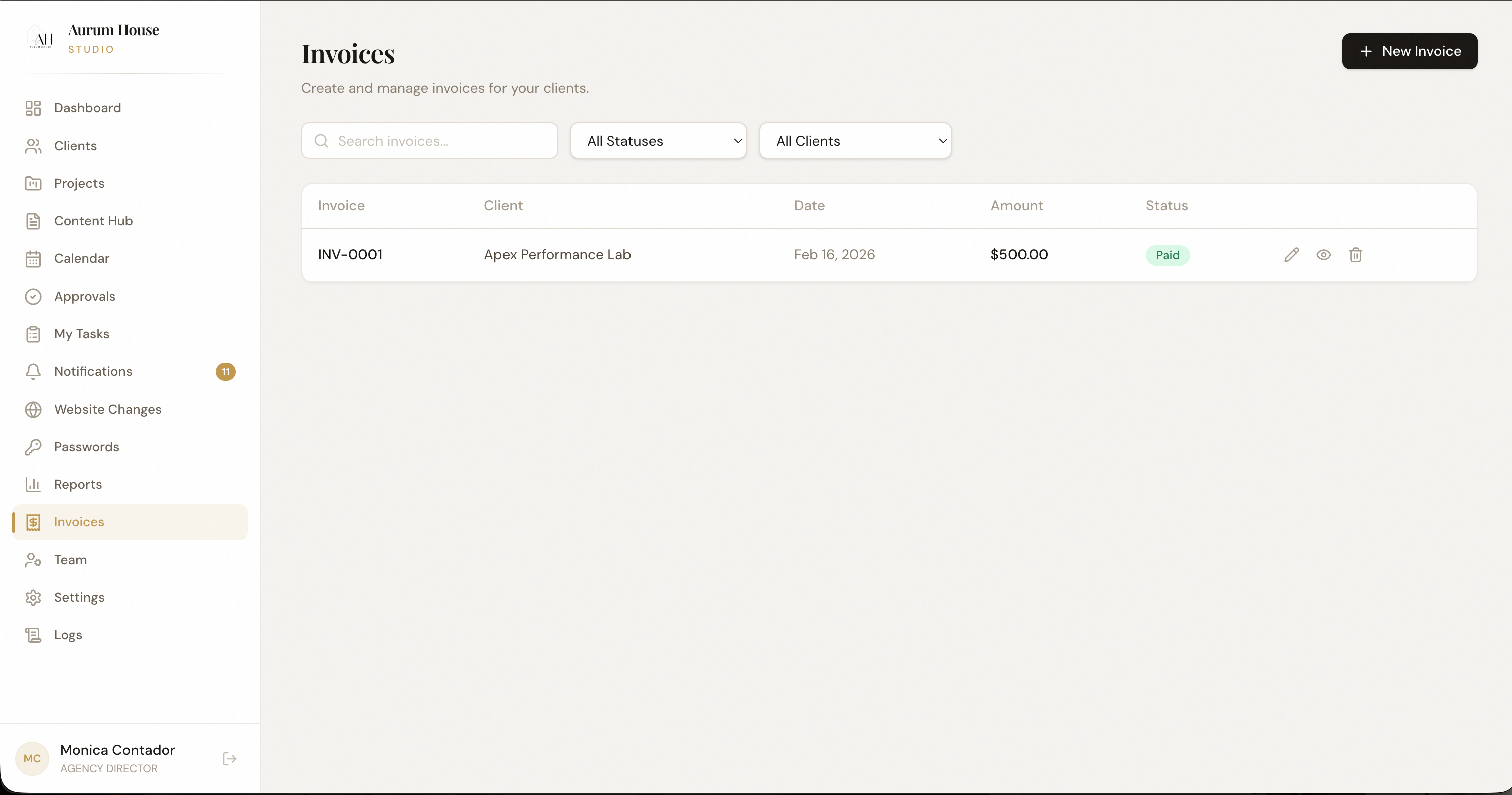
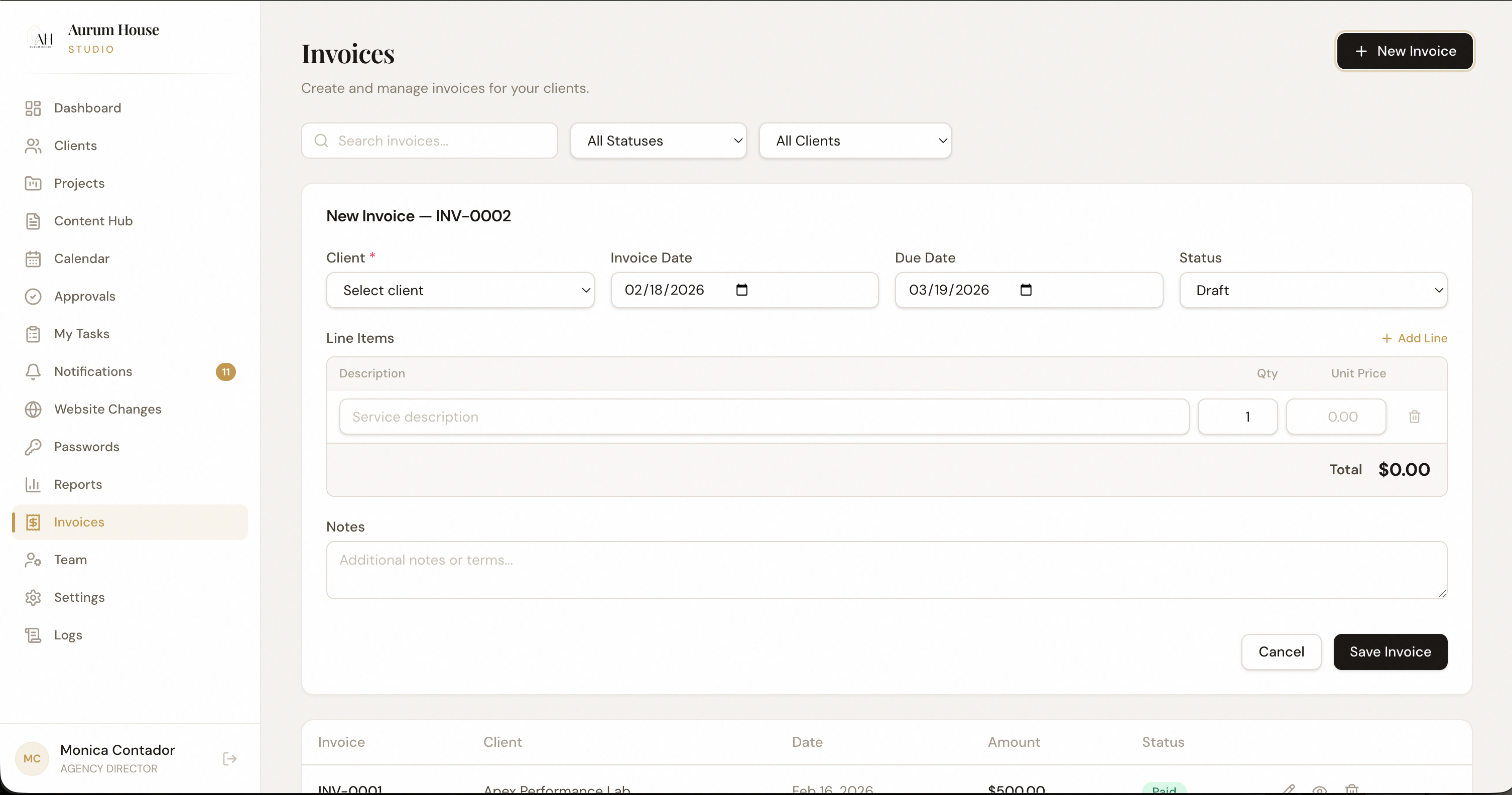
Generate invoices tied to actual deliverables, time tracked, and project scope — not memory and guesswork. Every line item on an invoice traces back to real work done in the system.
Invoicing from memory because time tracking is disconnected from project management
Leaving billable hours on the table because scope creep isn't tracked
Client disputes over what's included because there's no delivery proof
Using a separate invoicing tool that doesn't know what work was actually done
Work-Linked Invoicing
Generate invoices from completed projects, tracked time, and scope — every line item links back to actual deliverables.
Recurring Billing
Set up monthly retainers with automatic invoice generation. Clients receive branded invoices on your schedule.
Revenue Dashboard
Track revenue by client, service type, and time period. Identify your most and least profitable accounts.
At month-end, the system compiles all tracked work per client into a draft invoice. The account manager reviews, adds any out-of-scope charges, and sends a branded invoice — with delivery proof attached.
Track
Work is logged automatically
Compile
Draft invoice auto-generated
Review
AM adjusts and finalizes
Send
Branded invoice to client